To manage user profiles, update personal information
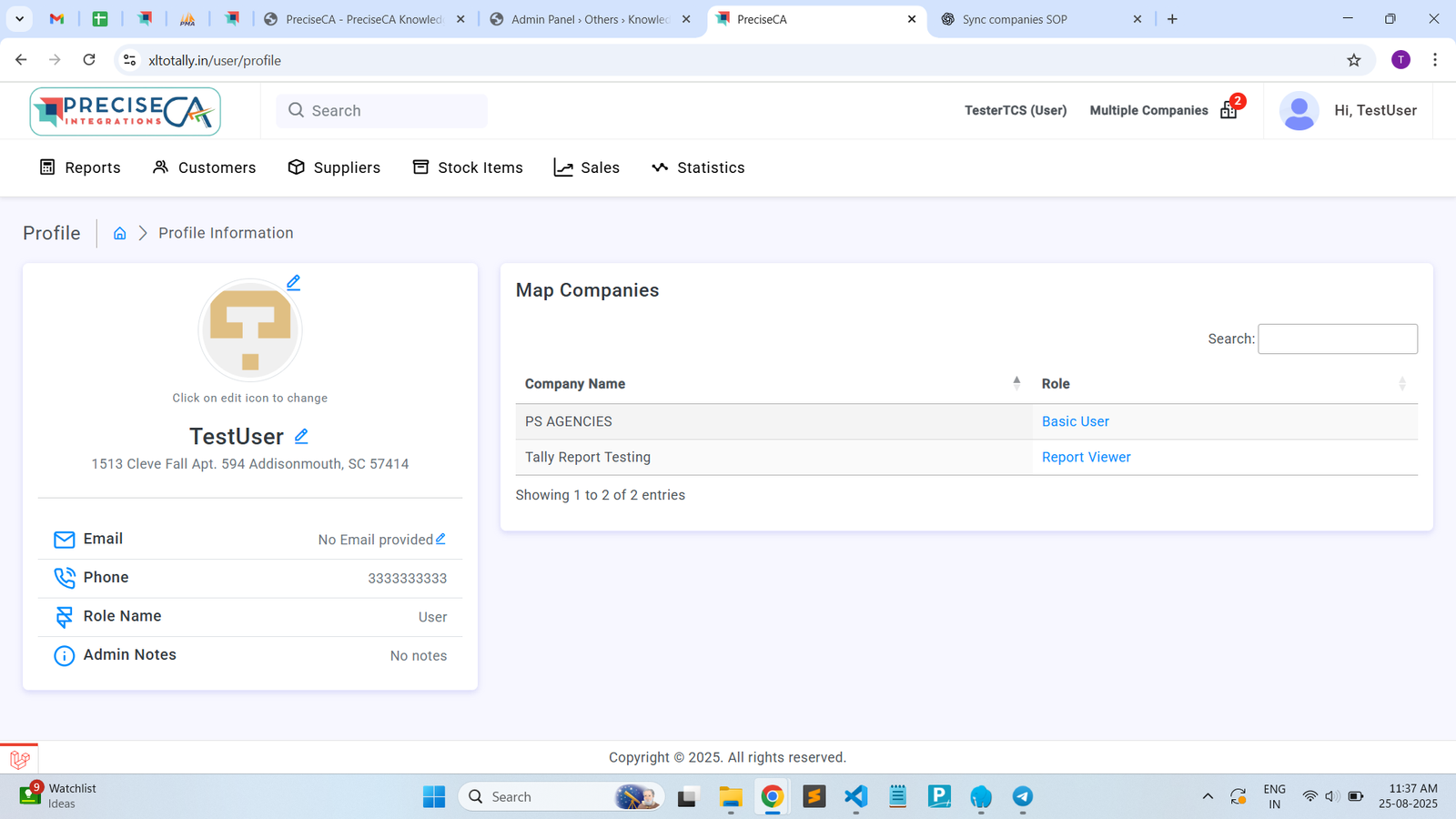
Posted on 2025-08-25 Updated on 2025-08-26Step 1 – View User Profile Information
When a user logs into PreciseCA, they can access their profile by:
- Click on Profile → Profile Information
- The profile page displays:
- Profile picture (with edit option)
- User name and address
- Email (if provided)
- Phone number
- Role Name
- Admin Notes (if any)
- Map Companies section showing:
- Company names mapped to the user
- Assigned roles for each company
Step 2 – Change Profile Picture
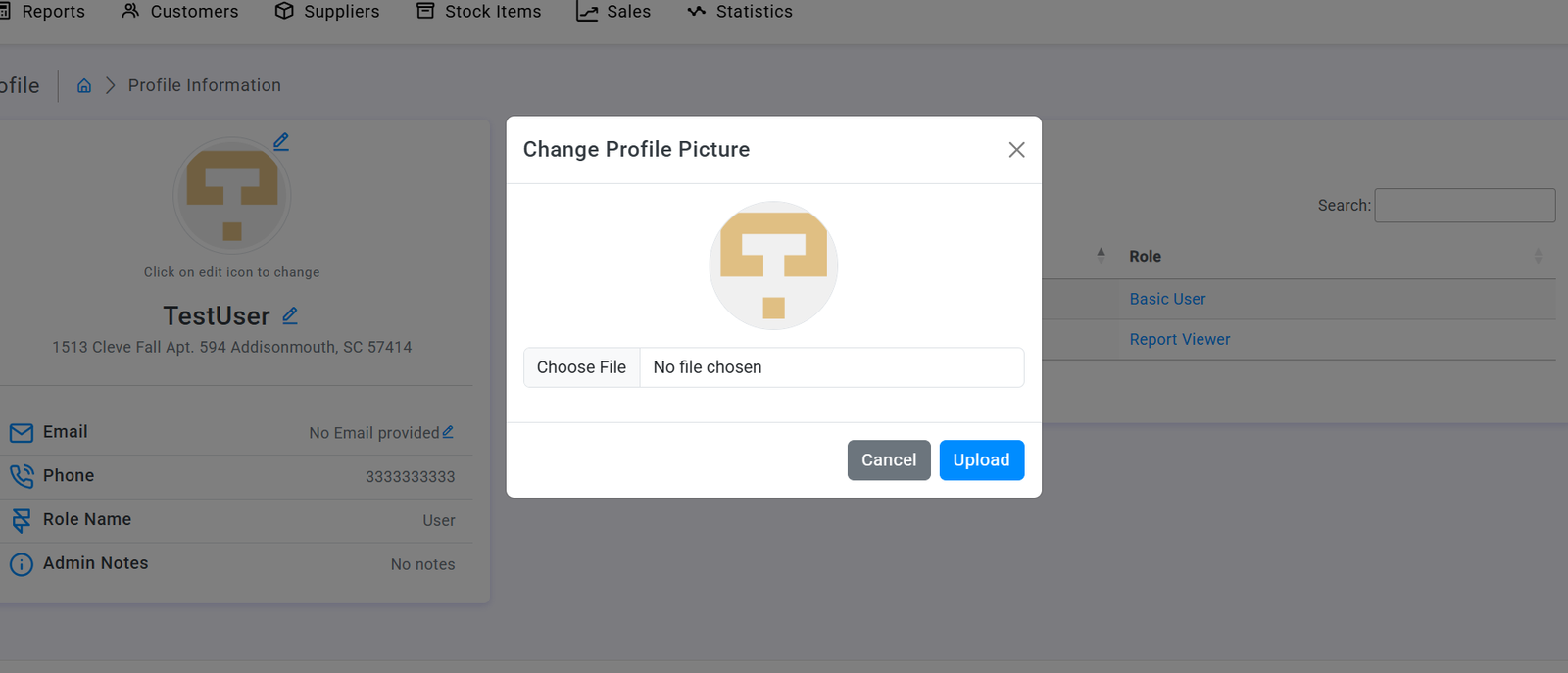
- Click on the edit icon (pencil) next to the profile image
- Change Profile Picture dialog opens
- Click Choose File to select an image
- Selected file name will appear
- Click Upload to save or Cancel to discard changes
Step 3 – Edit Profile Information
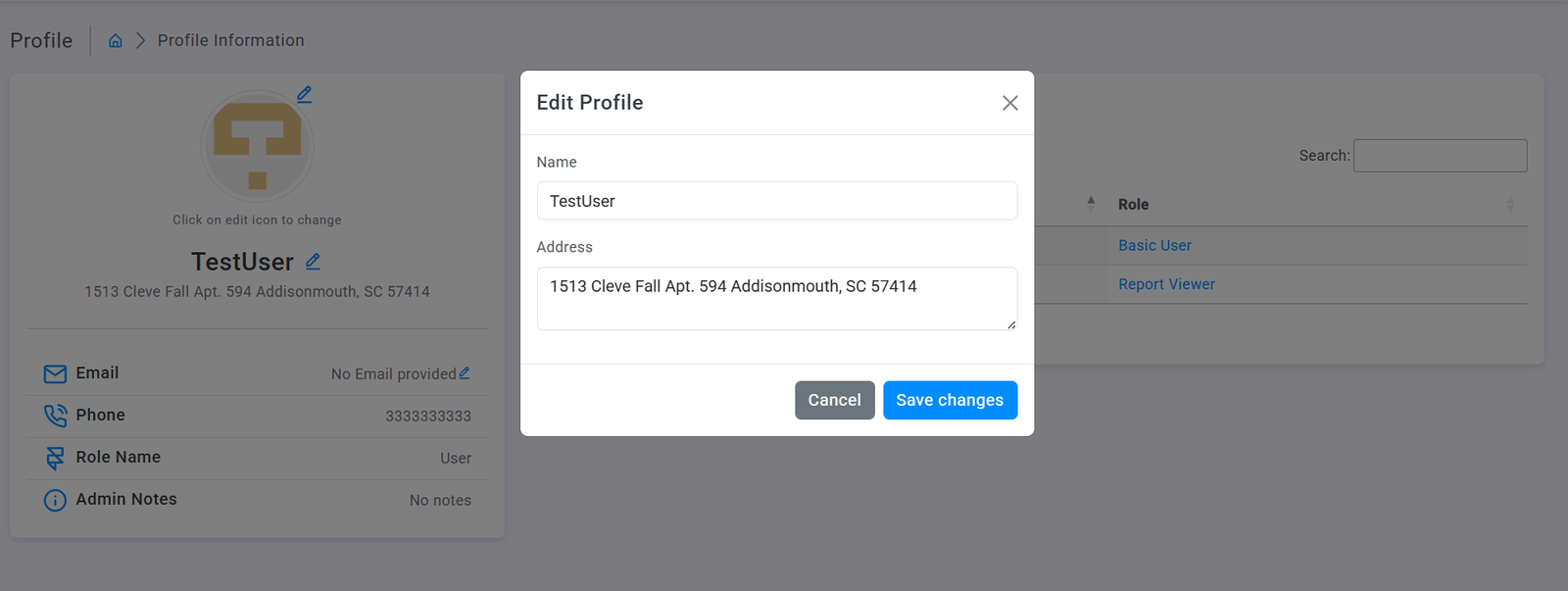
- Click the edit icon (pencil) next to the user name
- Edit Profile dialog opens with fields:
- Name (editable)
- Address (editable text area)
- Make necessary changes
- Click Save changes to confirm or Cancel to discard
Step 4 – Update Email Address
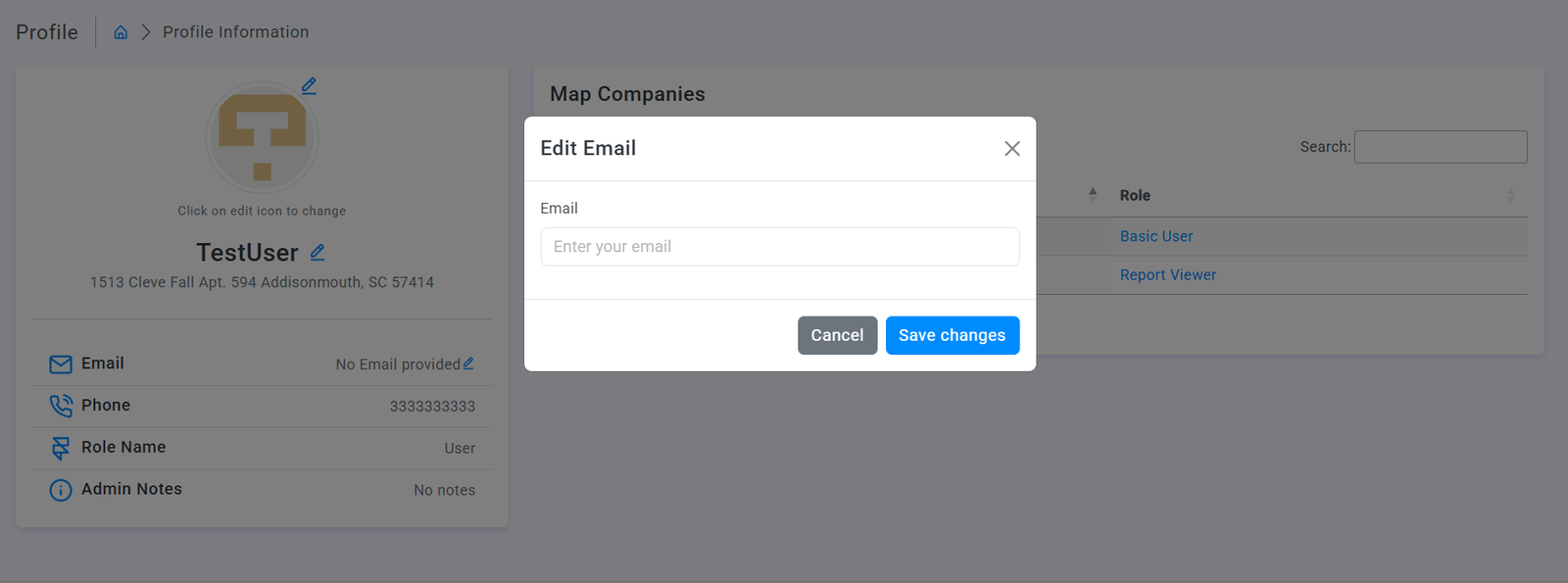
- Click the edit icon next to "No Email provided"
- Edit Email dialog opens
- Enter email address in the text field
- Click Save changes to confirm or Cancel to discard
Step 5 – View Role-Based Company Mapping
- Company Name column showing mapped companies
- Role column showing assigned permissions
Found this article helpful?
[ 0 Out of 0 Found Helpful ]